iPhone apps

Apps for iPhone.When an app is the answer.

I design and build native iPhone apps, from the first screen to App Store review. Two of them are my own. One is live. One is in the build.

Discuss an app

Trackdown

The dates that matter, where you already look.

Type
My own product
Platform
iPhone, iOS 26.5 or later
Status
Live on the App Store
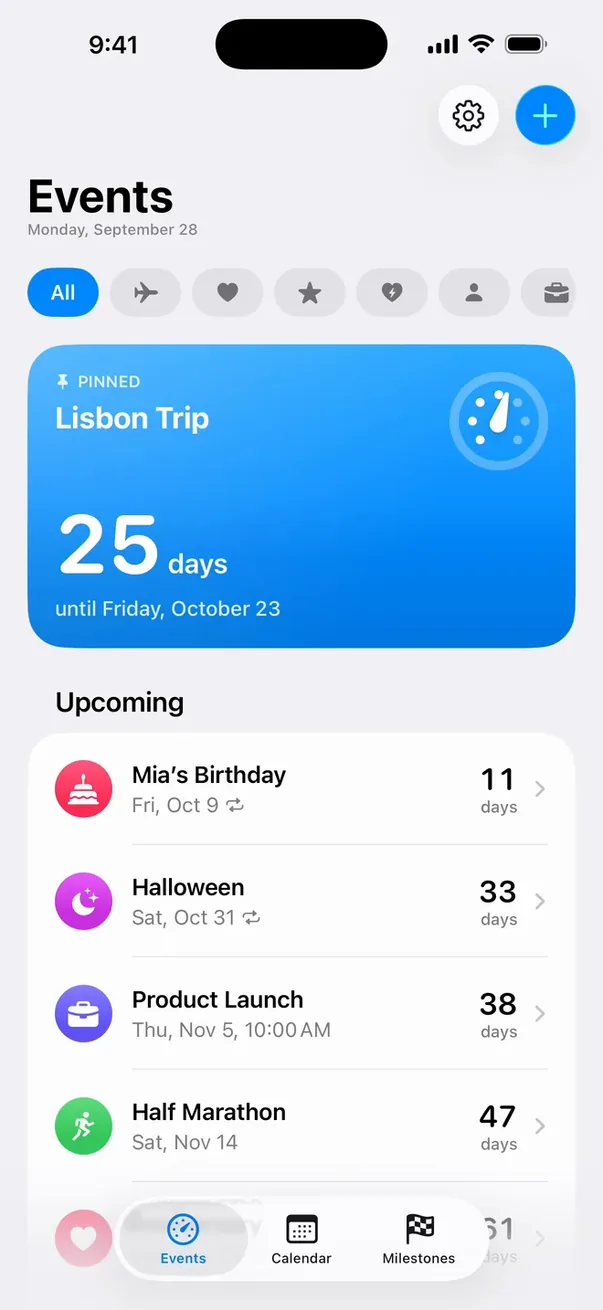
Trackdown events list: Lisbon Trip pinned at 25 days, then the next events sorted by soonest.
Sorted by soonest
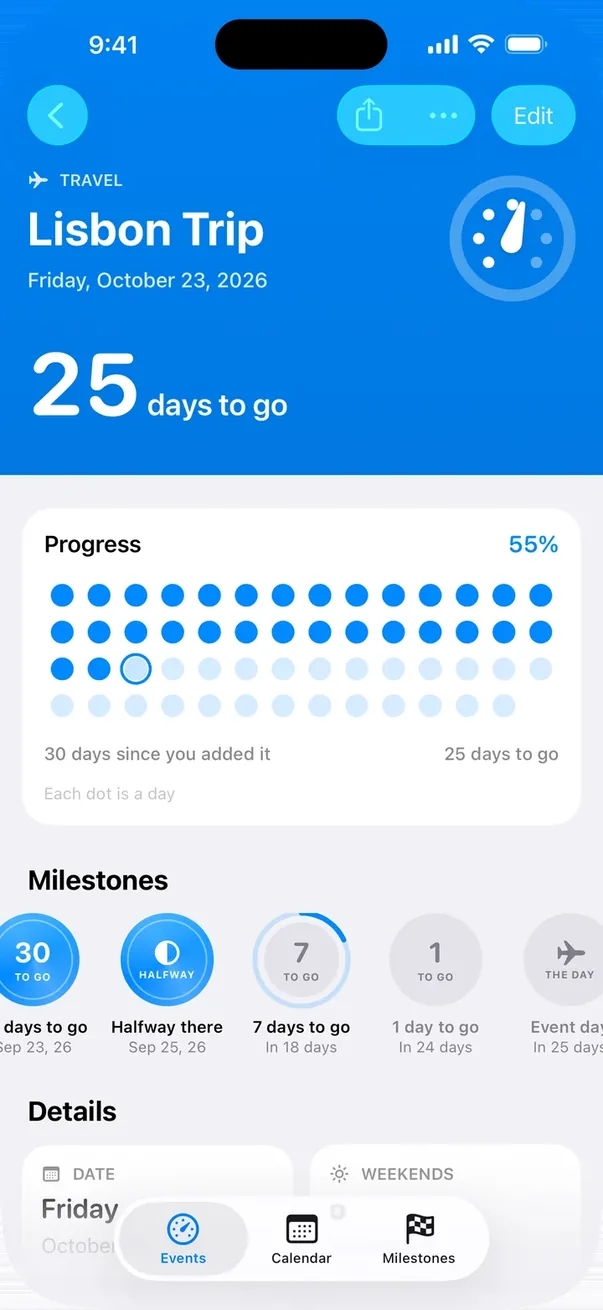
Lisbon Trip in Trackdown: 25 days to go, a dial, a grid with one dot per day filled to 55%, and a row of milestone medals.
One dot for every day
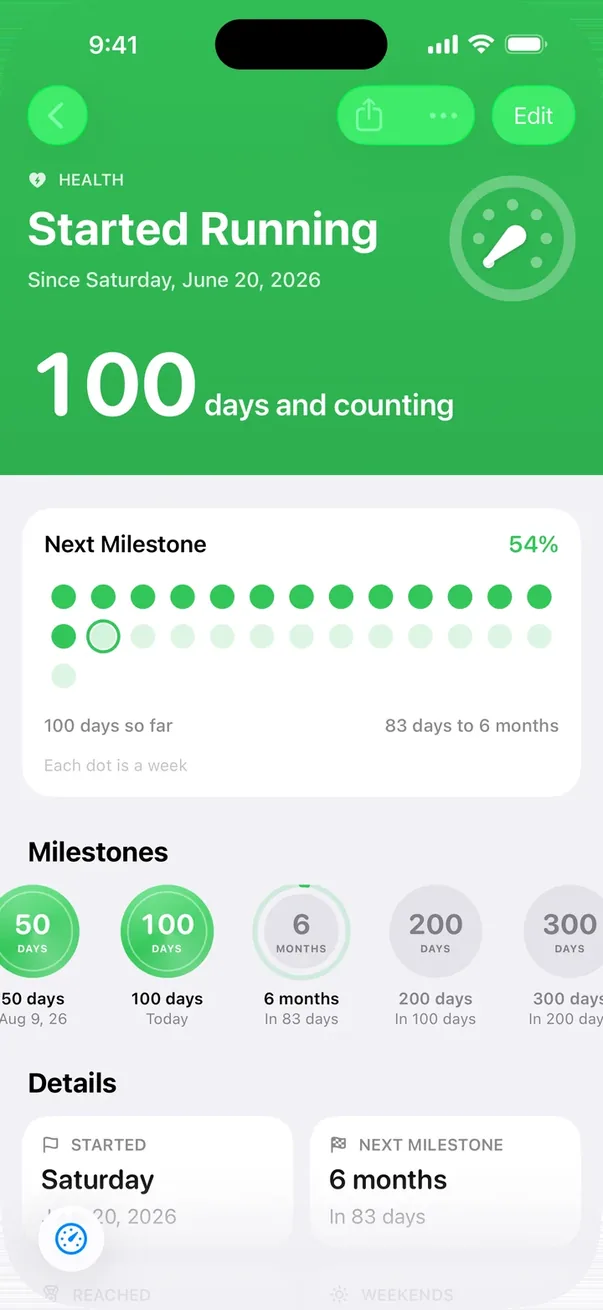
A count-up in Trackdown: Started Running, 100 days and counting, 54% of the way to the six-month milestone.
Counting up, too
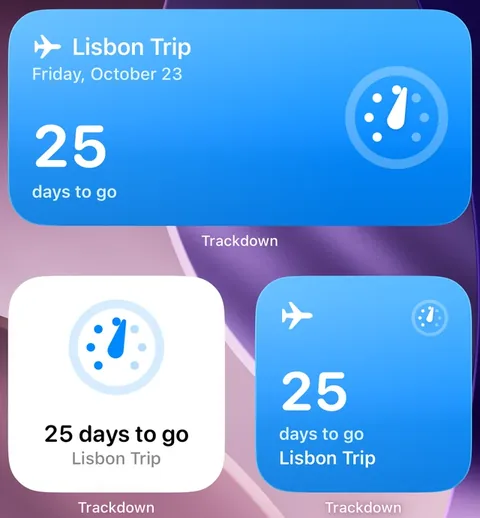
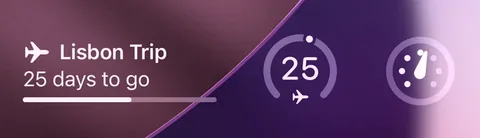
iPhone Home Screen with three Trackdown widgets, each showing 25 days to Lisbon Trip: a wide countdown, a dial and a small countdown.iPhone Lock Screen with three Trackdown widgets: a summary with a progress line, a gauge reading 25 and the dial.
Home Screen and Lock Screen widgets
Release record1 tick = 1 day
  1. 1.0Live on the App Store
  2. 2.0Milestones, archive, new icon
  3. 3.0Redesign, the dial, calendar
  4. Today119 days on the App Store

The problem

A calendar tells you what happens on Tuesday. It won’t tell you how many days are left until the holiday, or how many have passed since the first run. I wanted a counter that feels like part of the iPhone. No account, no subscription, nothing to set up.

What I built

Countdowns and count-ups, each with a dial that fills as the day gets closer. Open an event and the whole wait is laid out as dots, with a medal for every milestone on the way. A calendar puts every date on one month view. Widgets for the Home Screen and the Lock Screen keep the number in sight without opening the app, and Siri can read it out. Everything stays on the phone.

After launch

Version 1.0 went live on 9 June 2026. Version 2.0 followed 24 days later with milestones and an archive for past events. Version 3.0 shipped on 6 October 2026: every screen redesigned, plus the dial, a calendar, new widgets, Siri and Spotlight. Launch was the start of the work, not the end of it.

Download size
8.1 MB
Data collected, per its App Store privacy label
None
Accounts, servers or subscriptions
0
Accessibility features declared: dark interface, contrast, reduced motion, no colour-only cues
4

Centi

A lecture recorder that can’t lose the lecture.

Type
My own product
Platform
iPhone
Status
In development
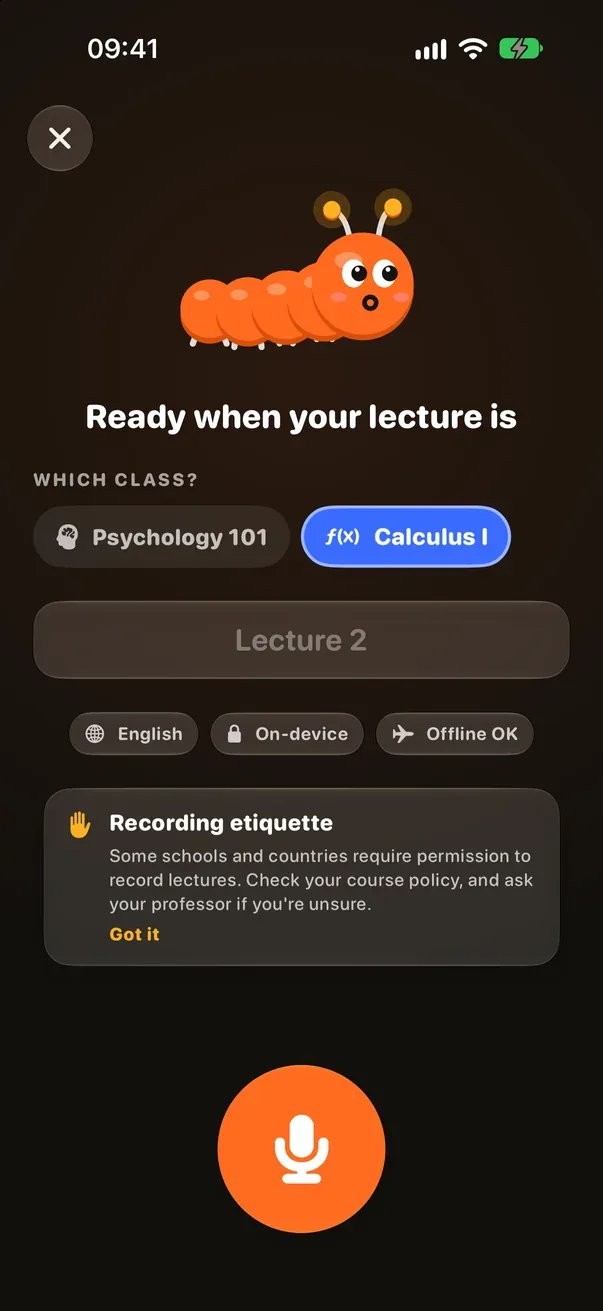
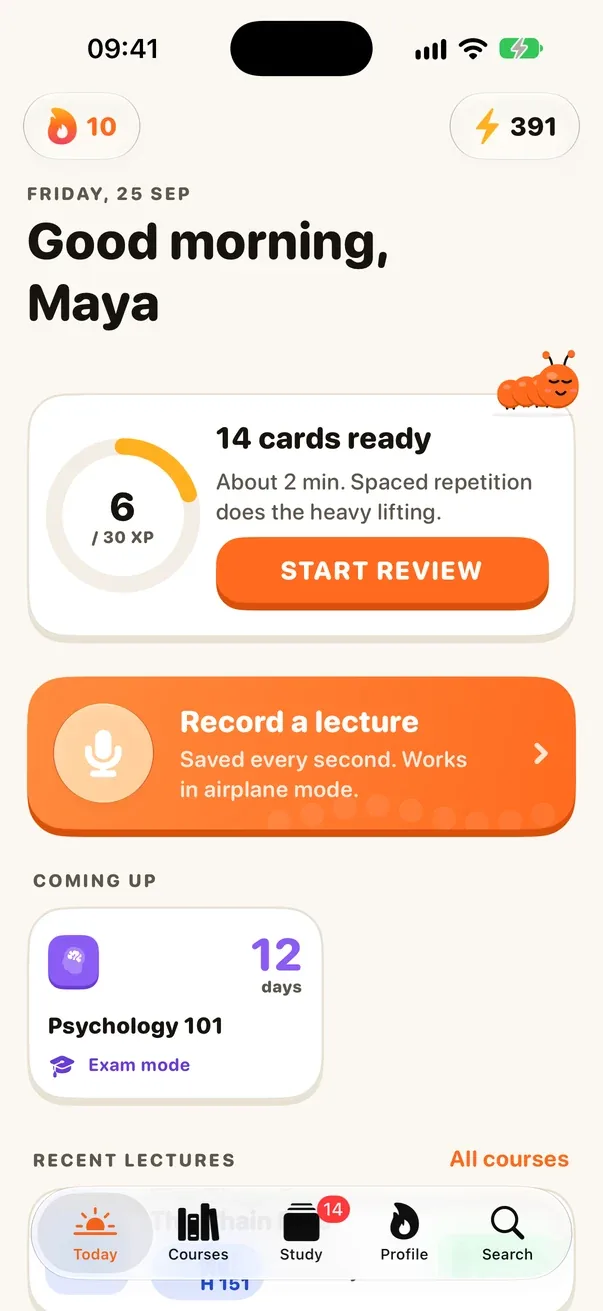
  1. Centi recorder: choose the class, then one large record button.01Record
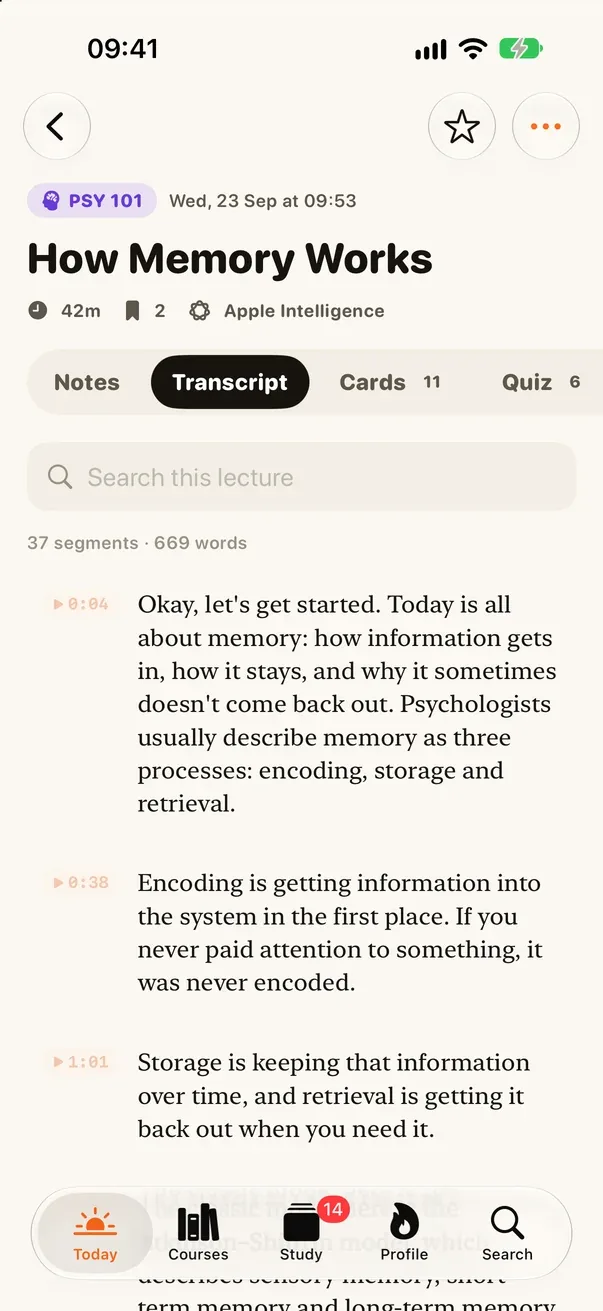
  2. Transcript of the lecture How Memory Works, each paragraph timestamped.02Transcript
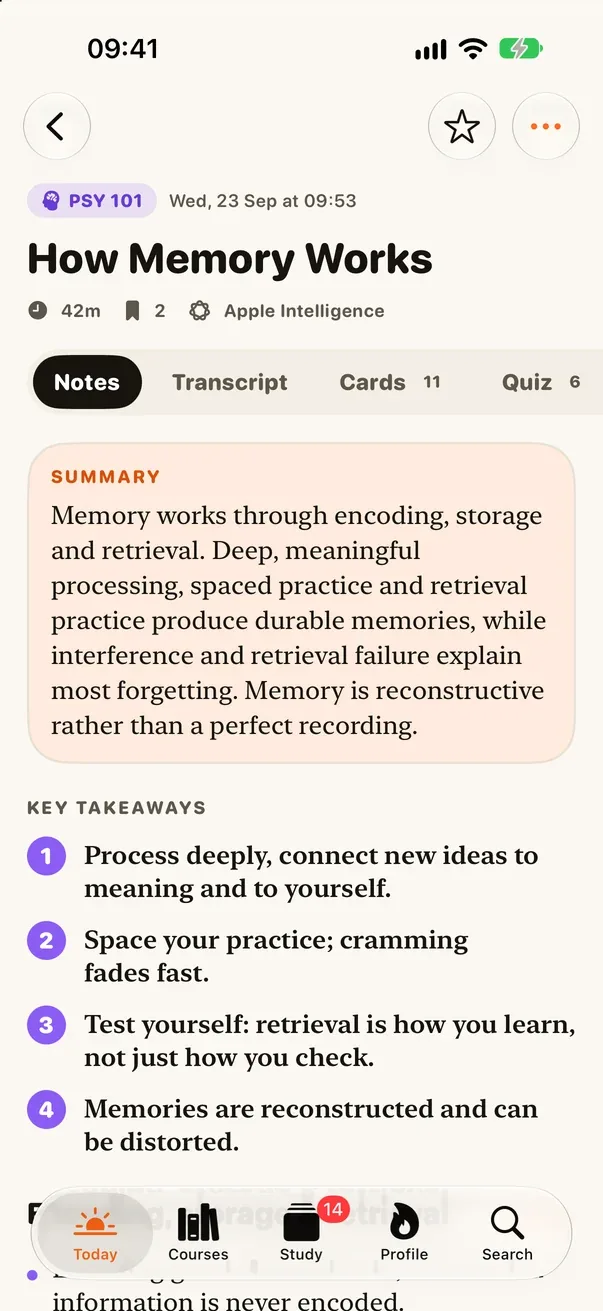
  3. Lecture notes with a summary and four numbered key takeaways.03Notes
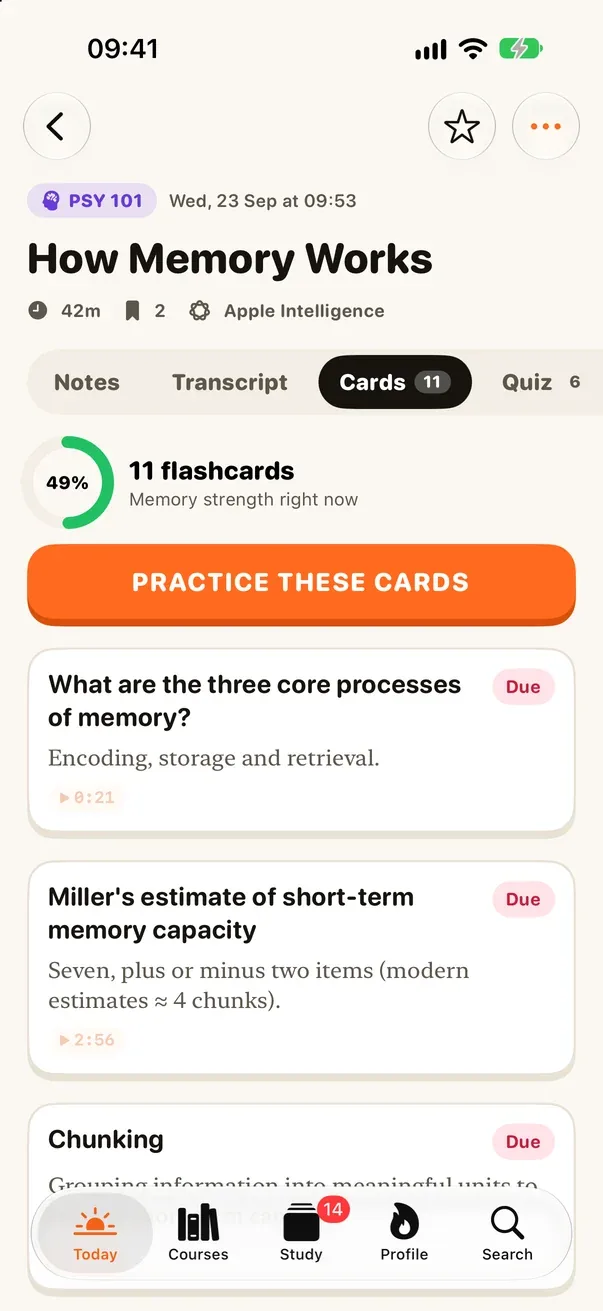
  4. Cards tab: 11 flashcards from the lecture, memory strength 49%.04Cards
Sample lecture: 42 minutes in → 11 flashcards and 6 quiz questions out

The problem

Students record 90-minute lectures on their phones. Most recorders keep the audio in memory and write it at the end, so one crash costs the whole class. Most note apps then send that audio to a server.

What I built

Centi writes the recording to disk as it goes and picks up again after a call. The phone transcribes it with Apple’s speech engine, and Apple Intelligence turns the transcript into notes that link back to the second they came from. Flashcards and quizzes follow, scheduled by spaced repetition. There is no account and no Centi server.

Where it stands

In development. Release planned for the end of October 2026.

Accounts or servers
0
Recording, transcripts and notes all work in airplane mode
Offline
The spaced-repetition scheduler behind every card
FSRS-5

Before you commission one

Most businesses don’t need an app.
Some really do.

An app earns its place when

  • Customers come back every week, not once a year.
  • It needs the phone itself: notifications, widgets, the camera or the microphone.
  • It has to work without signal.
  • Your team uses it on their feet, all day.

A website is the better start when

  • Most people find you through search and visit once.
  • The job is to explain, convince and take an enquiry.
  • You need it live in weeks.
  • You want one thing to look after, not two.

If a website does the job, I’ll say so. It’s quicker and it costs less. Both come from the same person, so starting with one never rules out the other.

An app project

From the first screen
to the App Store.

  • Scope and screen design, agreed before the build
  • A native iPhone app, with widgets and notifications where they help
  • A TestFlight beta for you and your first users
  • App Store listing, privacy label and review submission
Project investmentFrom €2,000
Discuss an app

A good place to start

What’s your
next move?

A new website, a platform idea, or a process that takes too much time. Tell me where you are and where you want to get to.

A handful of projects. Full attention to each.

Sent to me by email. A copy goes to you. Nothing else is stored. Privacy